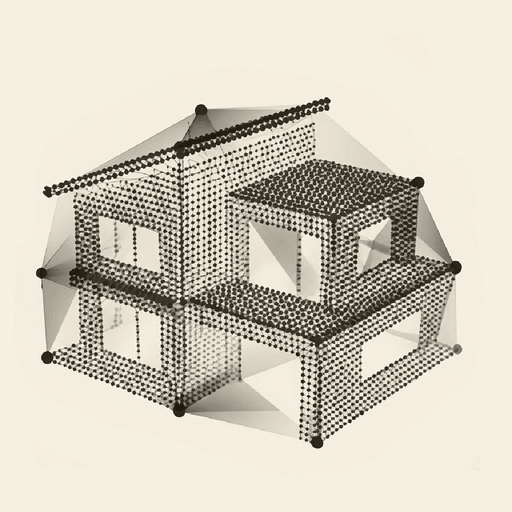
Scan a flat in 3D
with the iPhone Pro you own.
The LiDAR sensor measures depth while the camera records materials and light. Dalim combines the two to rebuild the property at its true scale.
12 Pro
The earliest supported model
15 min
Of scanning for a two-bedroom flat
0
Tripods, cameras or scanners to buy
Scanning a property in 3D with an iPhone rests on two measurements taken at once: how far away surfaces are, read by the LiDAR sensor, and what they look like, recorded by the camera.
The result is not a model drawn afterwards. It is the property as it was walked, with its volumes, its light and its materials, served in a viewer where you move freely.
What LiDAR does, in one minute.
The sensor sends out pulses of light and measures how long they take to return. From that time it derives a distance, and from thousands of distances a shape: walls, floor, furniture, doorways.
The camera knows nothing about distance but everything about appearance. Layering the two gives a scene with the right shape and the right look, at the right size. That is the difference from a reconstruction built from images alone: here depth is measured rather than guessed.
Which iPhone models can scan.
Supported
- iPhone Pro and Pro Max, 12 Pro onwardsThese carry the LiDAR sensor. It is the only hardware requirement.
- A recent model, ideallyIn a larger property, a newer device makes capture more comfortable.
Not supported
- Non-Pro iPhone modelsNo LiDAR sensor, whatever the year of the model.
- iPhone 11 and earlierReleased before the sensor arrived on the Pro line.
- iPad, Android, camerasDalim capture runs through the iOS app on a supported iPhone Pro.
This requirement applies only to the device doing the capture. Viewing a tour takes nothing more than a link, from any compatible phone, tablet or computer.
What makes a good capture.
Light, first of all
Depth is measured even in dim rooms, but appearance depends entirely on available light. Switch everything on and open blinds and curtains: it is the change that improves the result most.
A steady pace
A regular walk without jerks reads better than a quick sweep. The movement is closer to walking than to sweeping a beam across a room.
Circle every room
Corners, recesses and the space under furniture are only seen if you present the phone to them. A room captured from its centre alone keeps gaps.
Open the doors
The openings between rooms are what stitch the property together. A closed door separates two spaces that should join up.
Mirrors and large windows
These surfaces reflect or transmit light and deserve extra care. Capturing the room from several angles around them gives a noticeably steadier result.
Check before you start scanning.
- Enough battery
- Free storage on the phone
- Every light switched on
- Blinds and curtains open
- Interior doors open
- Occupants told in advance
- Personal belongings put away
- A planned route, room by room
- Progress checked before leaving
Presenting a property is not surveying one.
A 3D tour exists to show a home, to make its volumes and circulation understandable. The distances readable in the viewer help picture the space, and for a buyer that is already a great deal.
They do not amount to a measurement document. Regulated floor area and surveys are the province of qualified professionals, and responsibility for the regulated information in a listing stays with the agency. The two uses do not compete, they answer different questions.
What a capture on an iPhone gives you.
The sample tour is a flat genuinely scanned with the app, with no retouching. It is the best way to judge what the protocol on this page produces.
How accurate is a scan made with an iPhone?
LiDAR capture restores volumes at the true scale of the property, which is enough to understand it and to compare two homes. We would rather not publish an accuracy figure while no public measurement protocol lets you verify it. Distances readable in the viewer are indicative and do not replace a regulated survey.
Which iPhone models can scan?
iPhone Pro and Pro Max models from the iPhone 12 Pro onwards, ideally a recent one. They are the only ones carrying the LiDAR sensor. An iPhone 11, a non-Pro model or an Android device cannot capture, although they display an existing tour perfectly well when an agent sends one over.
Can you scan the outside of a house?
Dalim is built for the inside of homes, and that is where the result is strongest. An exterior capture depends heavily on the light at that moment, the distances involved and the nature of the surfaces, vegetation included. If your need is specifically about exteriors, let us talk before the capture rather than after.
Is light needed to scan?
Depth is measured even in dim conditions, but appearance depends entirely on the light available. A dark room gives a dark tour, exactly as in photography. Switch everything on and open the blinds and curtains before you start: it is the most rewarding thing you can do in the whole capture, and it takes under a minute.
What about a property on several floors?
Capture happens room by room, and rooms are then assembled through the openings that connect them. A property spread over several floors therefore deserves particular attention when capturing the staircases, since they are what links the levels. Tell us before your first capture of that kind and we will talk you through it.
How long does capture take?
About fifteen minutes for a two-bedroom flat captured in good conditions. It depends on floor area, number of rooms, clutter and how the rooms connect. That time is spent on site; processing then runs on our servers without tying you up, and the tour goes live within four business hours.
Your iPhone Pro
is already the scanner.
All that is missing is the app and an access code. Access opens in waves, a few agencies at a time.